
Live agent tree
Every Claude Code agent and sub-agent with running, waiting, done and error states. Sessions resume after a restart, and outside claude sessions are detected.
The agentic IDE: an environment for agents.
Run all your AI coding agents in one window. Agent Studio IDE shows every agent and the sub-agents it spawns as a live tree, next to their terminals, files, branches, network traffic and logs.
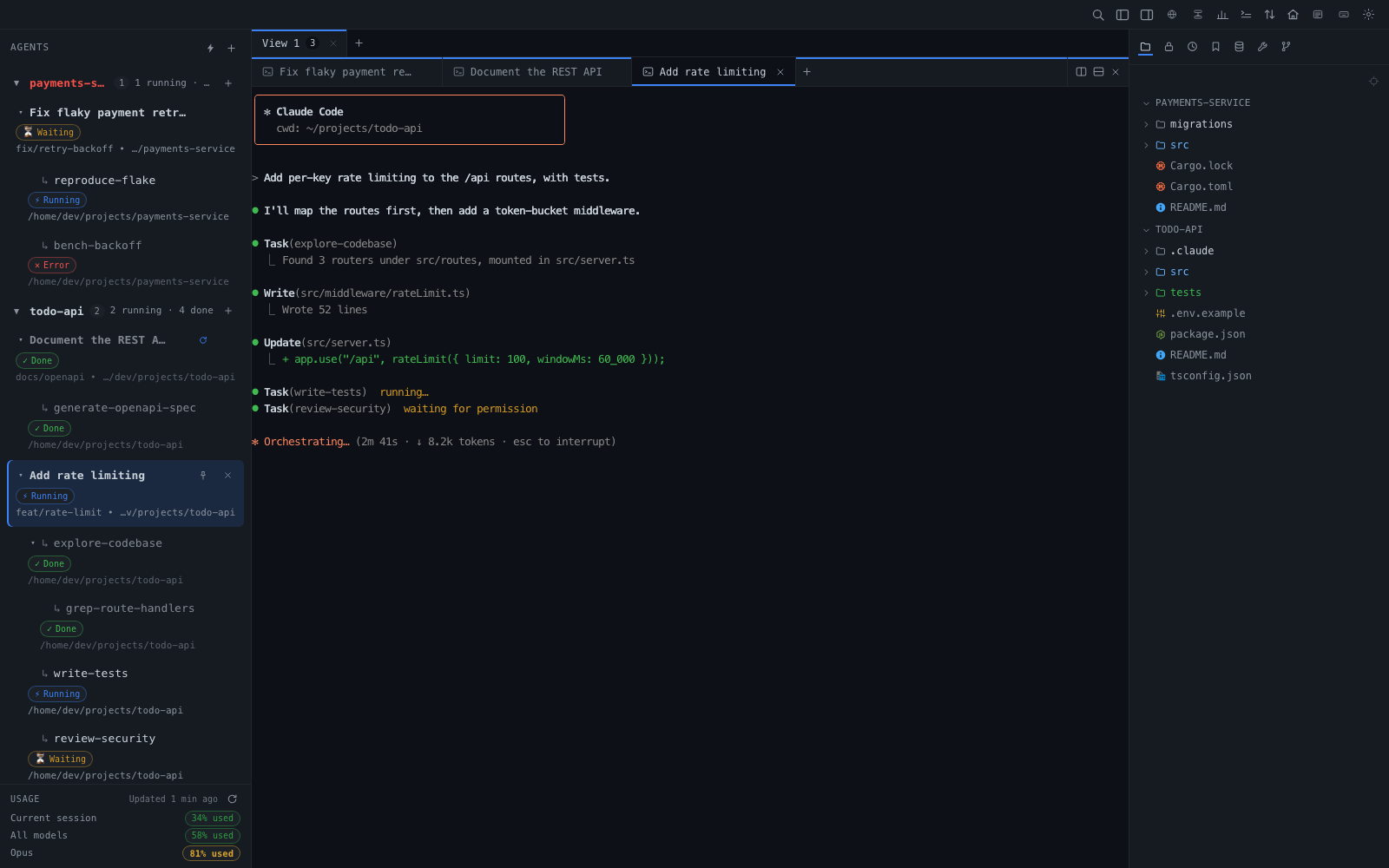
Each agent spawns sub-agents, works on its own branch and starts its own dev server. You end up with a pile of terminals and no idea which agent is waiting on you.
Agent Studio IDE is a cockpit for the whole fleet. Select any node and the terminal, files and branch follow it. When an agent needs a permission, a badge rises through every parent so you never miss it.
A native desktop environment for agents, built in Rust and Tauri. It never writes to your ~/.claude.
Every Claude Code agent and sub-agent with running, waiting, done and error states. Sessions resume after a restart, and outside claude sessions are detected.
GPU-rendered terminals with split panes, tabs and tab tear-off. The CodeMirror editor covers 100+ languages, with go-to-definition, git blame and Markdown and Mermaid previews.
A built-in capture proxy shows HTTP, HTTPS, WebSocket and gRPC calls made from agent terminals. A separate view lists connections for the whole machine.
Agents' tool calls, the background services they start and the dev apps on your machine, in one filterable stream.
HTTP, WebSocket and gRPC. Import curl commands, use {{VAR}} environments, collections and sequences, and compare responses.
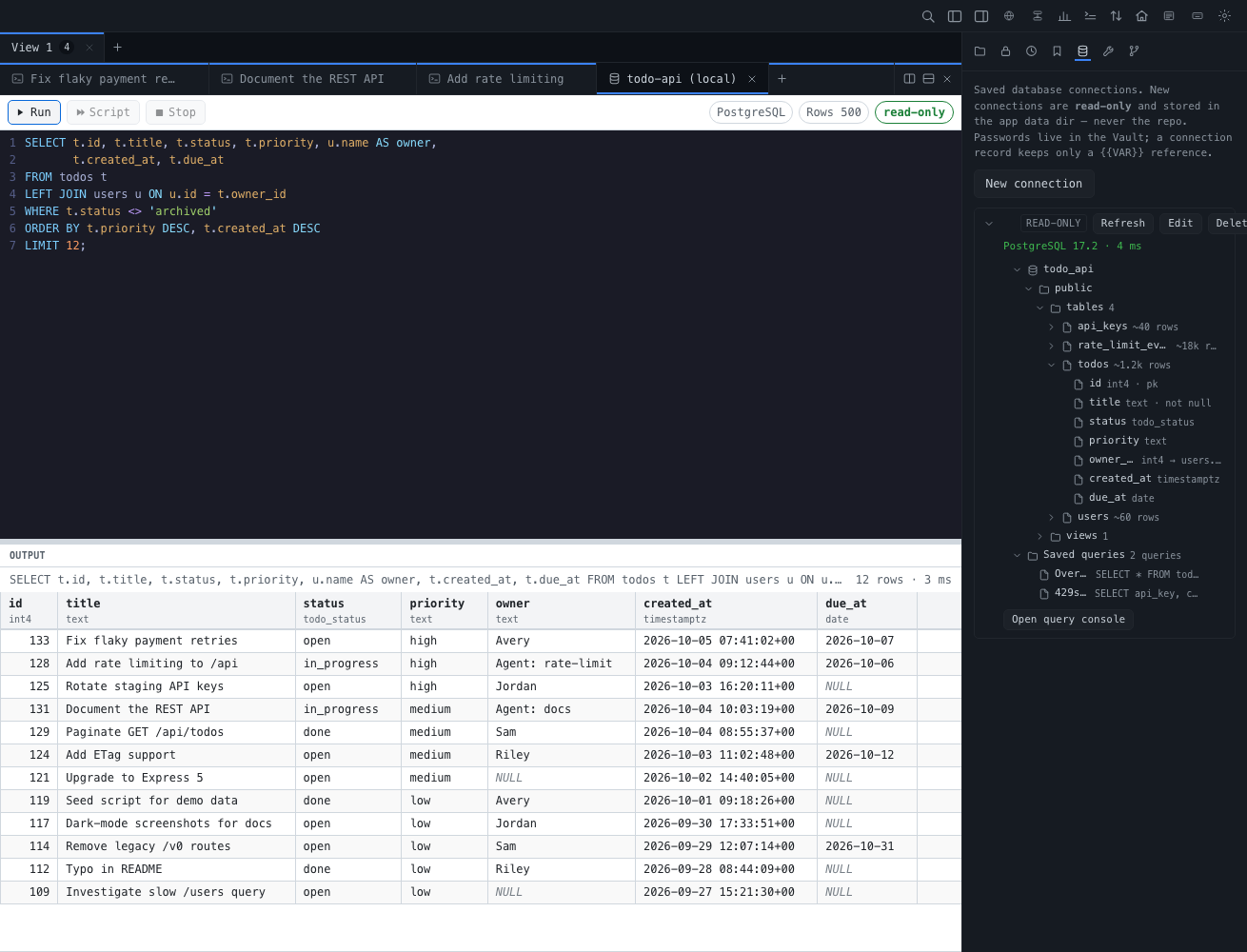
PostgreSQL, MySQL, ClickHouse, MongoDB, Redis, Valkey and DynamoDB. Read-only by default, so an agent can't drop your tables.
Real screens from Agent Studio IDE, using sample projects.
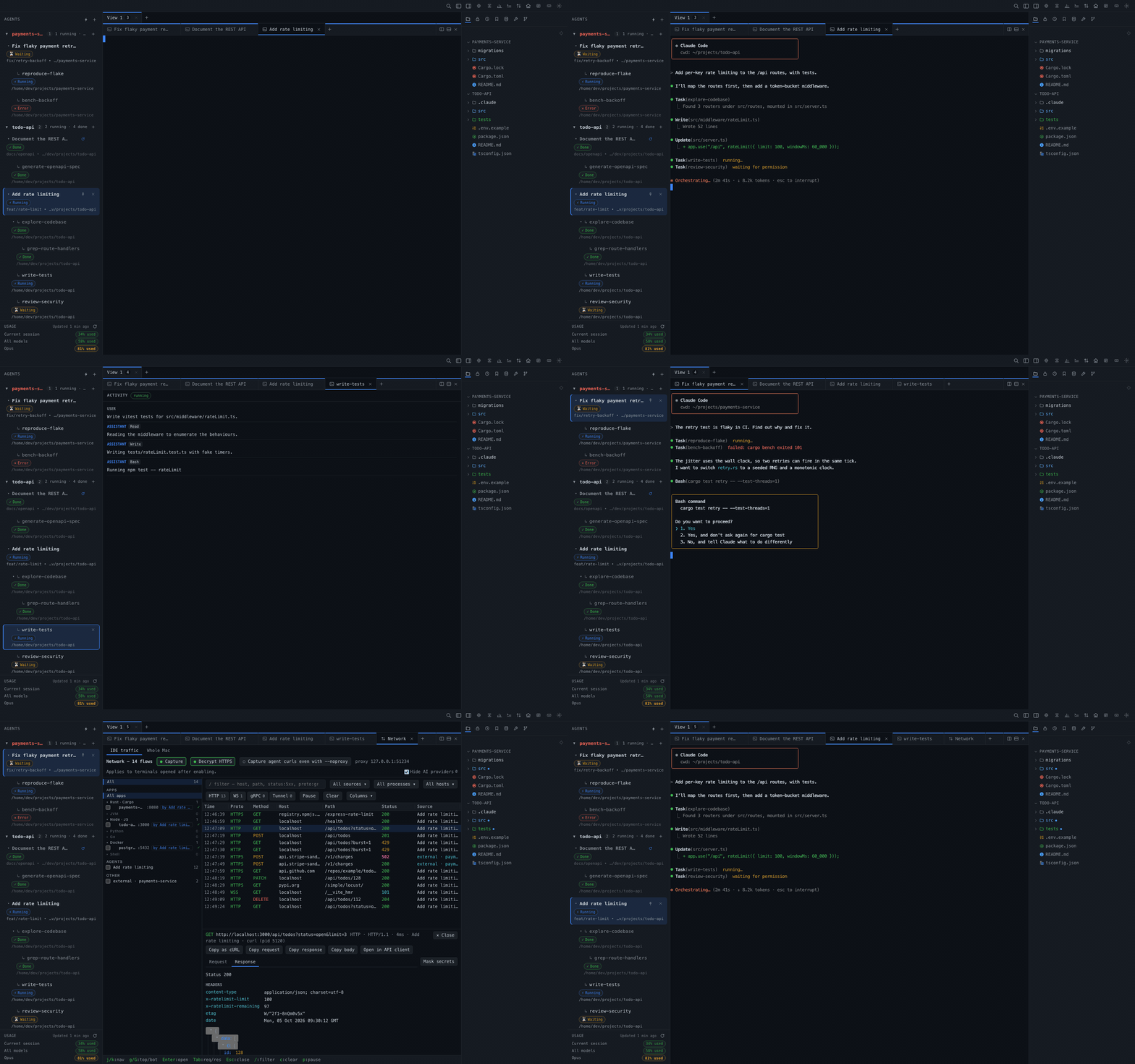
One agent plans the work and fans out sub-agents to explore, write tests and review security. Each one shows up in the tree as it starts.
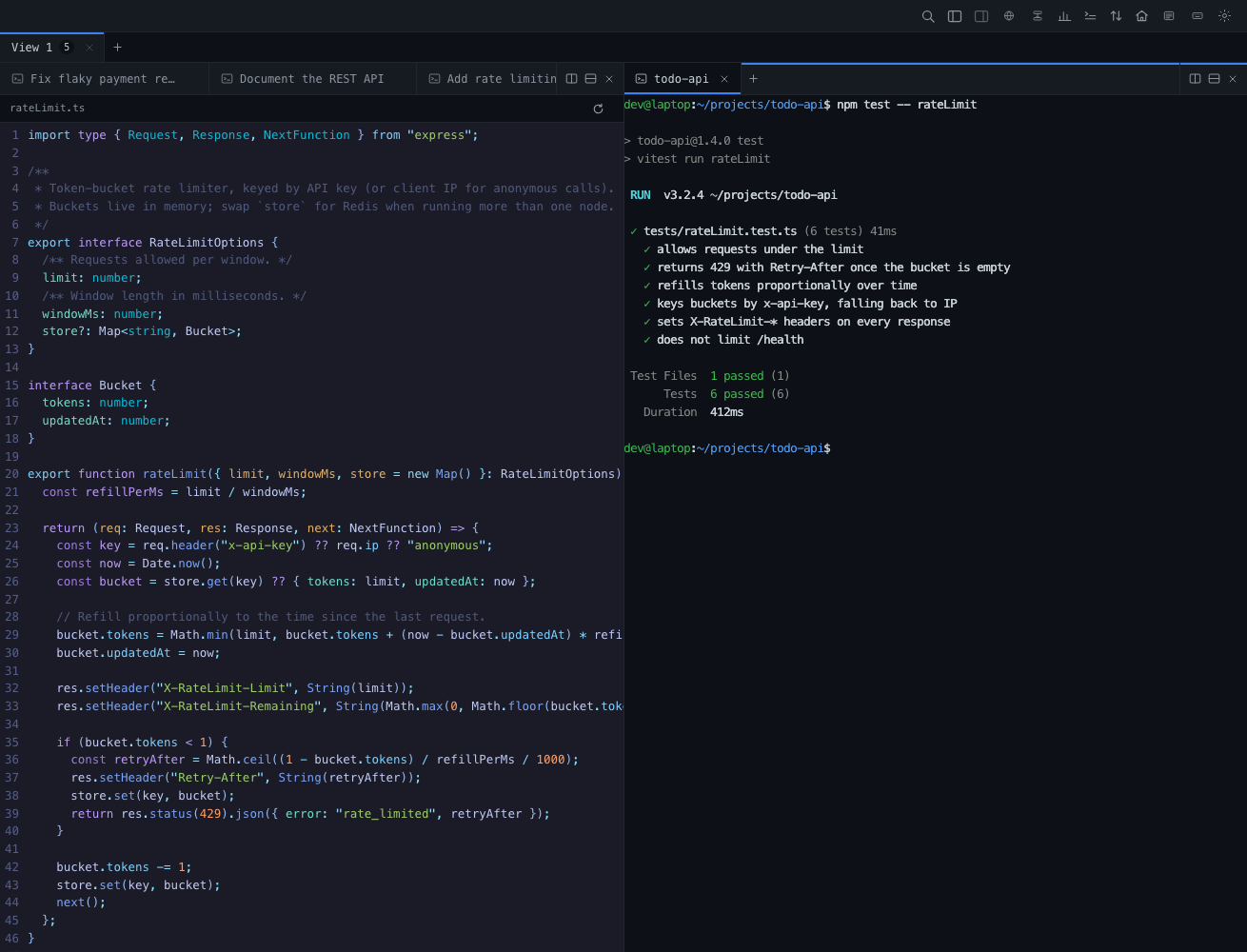
Open any file an agent touched in a full editor, with the agent's terminal running tests right beside it.
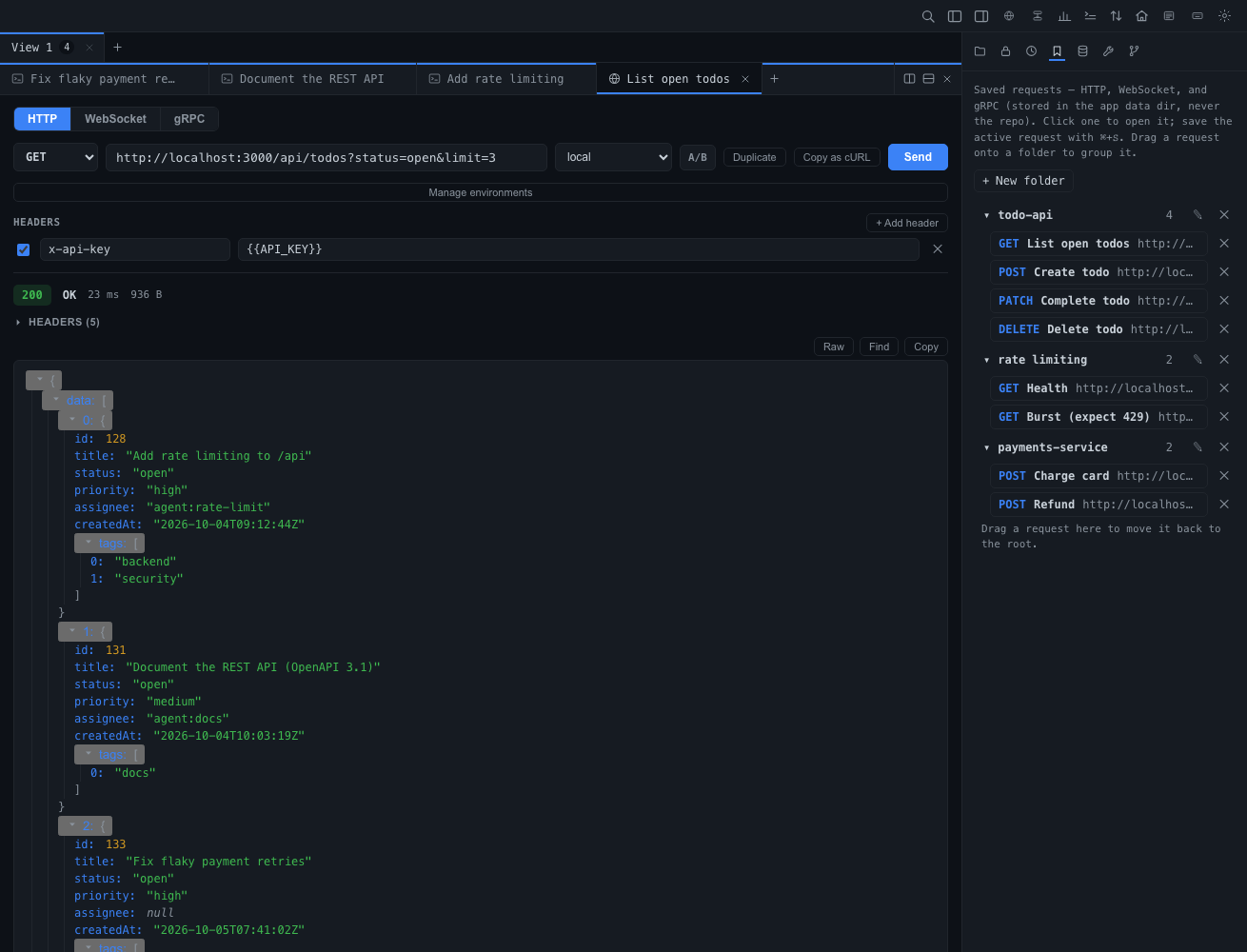
Hit the API your agent just built. Save requests into collections and switch environments with {{VAR}} variables.
A built-in capture proxy records traffic from agent terminals. You see each request, which agent made it and the full response.
status:5xx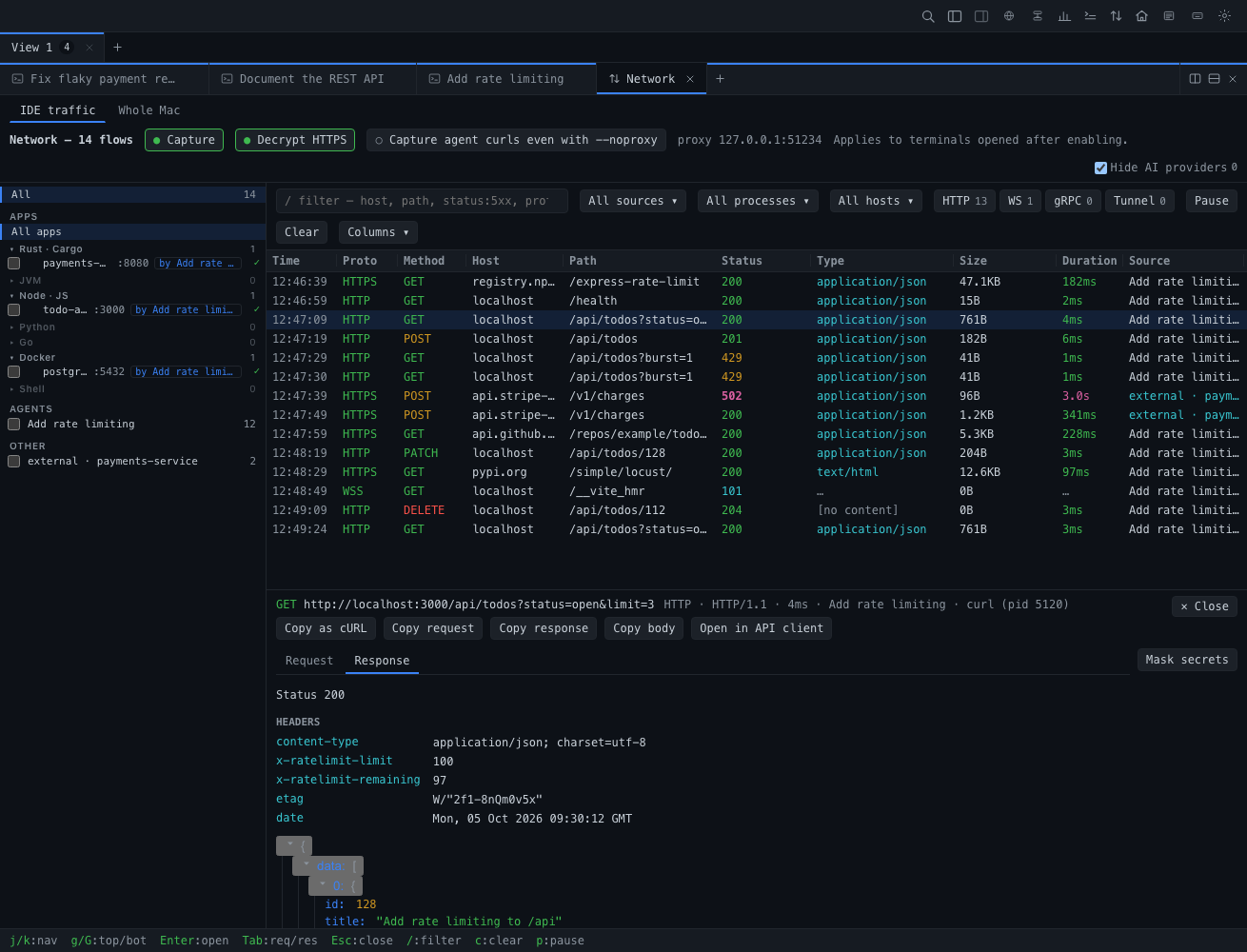
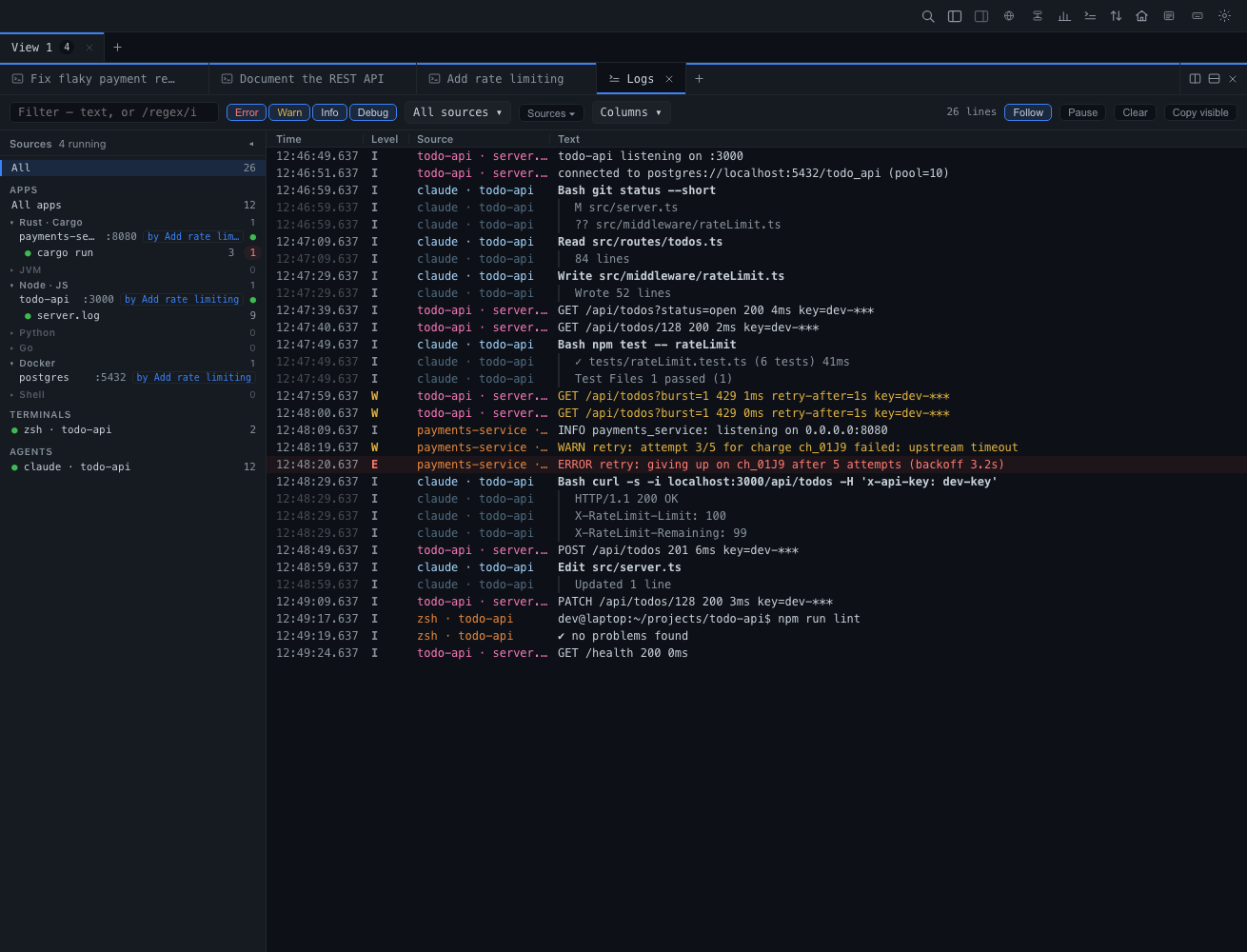
Agent tool calls (Read, Write, Bash) appear alongside your dev server's request logs and errors, so you can see what an agent did and what happened next.
Free and open source. Everything below installs the latest release from GitHub.
Paste this into Terminal:
curl -fsSL https://raw.githubusercontent.com/DanZunder91/AgentStudioIDE/main/scripts/install-macos.sh | bashIt downloads the latest release, checks it, installs Agent Studio into Applications and opens it.
Download it from the latest release, drag Agent Studio into Applications, then run this once so macOS does not show the “Move to Trash” window:
xattr -dr com.apple.quarantine "/Applications/Agent Studio.app"Paste this into a terminal:
curl -fsSL https://raw.githubusercontent.com/DanZunder91/AgentStudioIDE/main/scripts/install-linux.sh | bashIt downloads the latest release, checks it, installs the .deb (Debian, Ubuntu), the .rpm (Fedora, RHEL, openSUSE) or the .AppImage (any other distro), then opens Agent Studio.
curl -fsSL https://api.github.com/repos/DanZunder91/AgentStudioIDE/releases/latest | grep -o 'https://[^"]*_amd64\.deb' | head -1 | xargs curl -fLo /tmp/agent-studio.debsudo apt install /tmp/agent-studio.debcurl -fsSL https://api.github.com/repos/DanZunder91/AgentStudioIDE/releases/latest | grep -o 'https://[^"]*\.x86_64\.rpm' | head -1 | xargs curl -fLo /tmp/agent-studio.rpmsudo dnf install /tmp/agent-studio.rpmcurl -fsSL https://api.github.com/repos/DanZunder91/AgentStudioIDE/releases/latest | grep -o 'https://[^"]*_amd64\.AppImage' | head -1 | xargs curl -fLo AgentStudio.AppImagechmod +x AgentStudio.AppImage && ./AgentStudio.AppImagePrefer to download by hand? Every file is on the latest release page. The Linux build is still being tested; if something looks off, open an issue.
Get the -setup.exe from the latest release on GitHub, or the .msi for managed installs.
The installer isn't signed yet. If SmartScreen stops it, choose More info, then Run anyway.
Agent Studio IDE is a free, open-source desktop app for running many AI coding agents at once. It shows every agent and the sub-agents it spawns as a live tree, and puts their terminals, files, branches, network traffic and logs in one window.
An agentic IDE is a development environment built around AI agents doing the work, with you supervising. Instead of one editor and one chat, it gives you a cockpit for many agents: what each is doing, which one is waiting for you, and what it changed.
Claude Code is supported today, including sub-agents and resuming sessions after a restart. Codex CLI and Ollama support are in progress.
Yes. It's open source under AGPL-3.0, and a commercial licence is available from the author.
macOS (Apple Silicon), Windows and Linux (.deb, .rpm and AppImage). Every build is published on GitHub Releases.